What's going on
PhysioOnClick reviews workplace-related pain — including home workstations — through online video consultations, which makes it straightforward to see an actual desk setup rather than working from a description alone. Workplace-related pain is rarely caused by posture alone — it's usually a combination of sustained static positions, insufficient movement variety through the day, and a workstation setup that puts joints toward the end of their comfortable range for hours at a time. Fixing the chair height helps, but rarely resolves symptoms on its own if the underlying issue is hours of unbroken sitting or screen-focused strain.
The evidence on ergonomic interventions is clearest when equipment changes are combined with movement breaks and some general conditioning work — the body copes far better with a poor position held briefly than a good position held for six hours straight.
What physiotherapy assessment looks at
A workplace-focused assessment looks at desk and screen setup, chair support, keyboard and mouse position, how the working day is structured (meeting length, break frequency), and any specific symptoms that correlate with particular tasks or times of day.
Where home-working posture is the main day-to-day problem, assessment also looks specifically at how that symptom behaves — what makes it better or worse, and how it's changed since it started — since that shapes which part of the rehab plan gets priority first.
Practical guidance on home-working posture
Home workstations are frequently improvised — a laptop on a kitchen table, a sofa, or a dining chair — and the resulting posture (neck flexed forward, shoulders hunched, wrists at an awkward angle) tends to load the neck, shoulders and lower back for hours without the variety a traditional office often provided through walking to meetings or a printer.
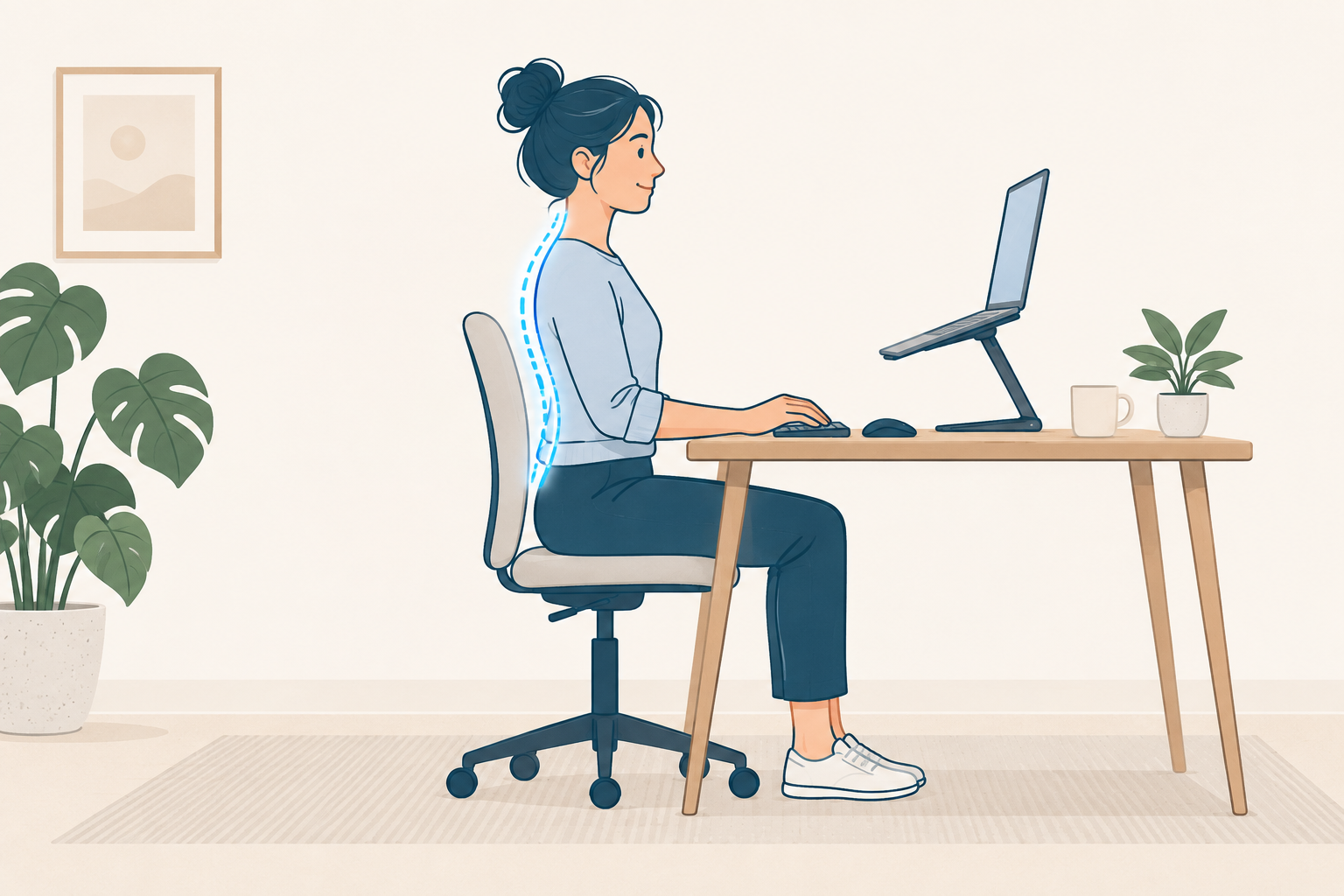
The most effective, lowest-cost fix is usually raising the laptop screen to eye height (using books or a stand) with a separate keyboard and mouse, rather than working directly on the laptop itself, combined with deliberately building movement breaks back into a day that no longer has an office commute or corridor walks.
When to seek extra help
Numbness or tingling in the hands that doesn't resolve between work sessions, progressively worsening neck or arm symptoms despite ergonomic changes, or pain that wakes you at night should be assessed by a physiotherapist or GP rather than managed with further equipment changes alone.
A practical starting point
Raise your screen so the top of it is roughly at eye level, use a separate keyboard if working from a laptop, and set a alarm for a two-minute stand-and-stretch break at least once an hour through the working day.
This guide is part of PhysioOnClick's patient education library and is intended to support informed decisions, not replace an individual assessment. If symptoms are worsening, unclear, or affecting your confidence with movement, a full physiotherapy assessment is the safest next step.